
When it comes to local SEO, prospecting for B2B leads, or just finding a highly specific business, standard Google searches often fall short. You might end up scrolling through pages of directories instead of finding the actual businesses you need. This is where Google Maps search operators come in.
Whether you are an SEO professional analyzing a local market, a link builder hunting for niche tech startups, or an everyday user, mastering these advanced commands will save you hours of manual research.
In this 2026 updated guide, we will explore the most reliable Google Maps operators, the ones you need to stop using immediately, and advanced combinations for maximum search precision.
What Are Google Map Search Operators?
Similar to traditional web search operators (like site: or intitle:), Google Maps search operators are special commands or symbols you type into the Google search bar to filter and refine location-based results.
Instead of giving you broad web pages, these modifiers force Google’s algorithm to trigger the Local Pack or take you directly into the Google Maps interface with highly targeted data. They allow you to filter businesses by exact location, category, and even specific business relationships.
The Core Map Command: How to Use the map: Operator
If there is one operator you need to master in 2026, it is the map: command.
Often, when you search for something like “tech agencies in Newyork” Google gives you a mix of blog posts, directories like Yelp or Clutch, and only a small map snippet. To bypass the web results and force Google to only show you the map data, you use the map: operator.
How it works: Simply place map: right before your target location or keyword.
- Example 1 (Location Focus):
map:Seattle software companies - Example 2 (Strict Map View):
map:Silicon Valley AI startups
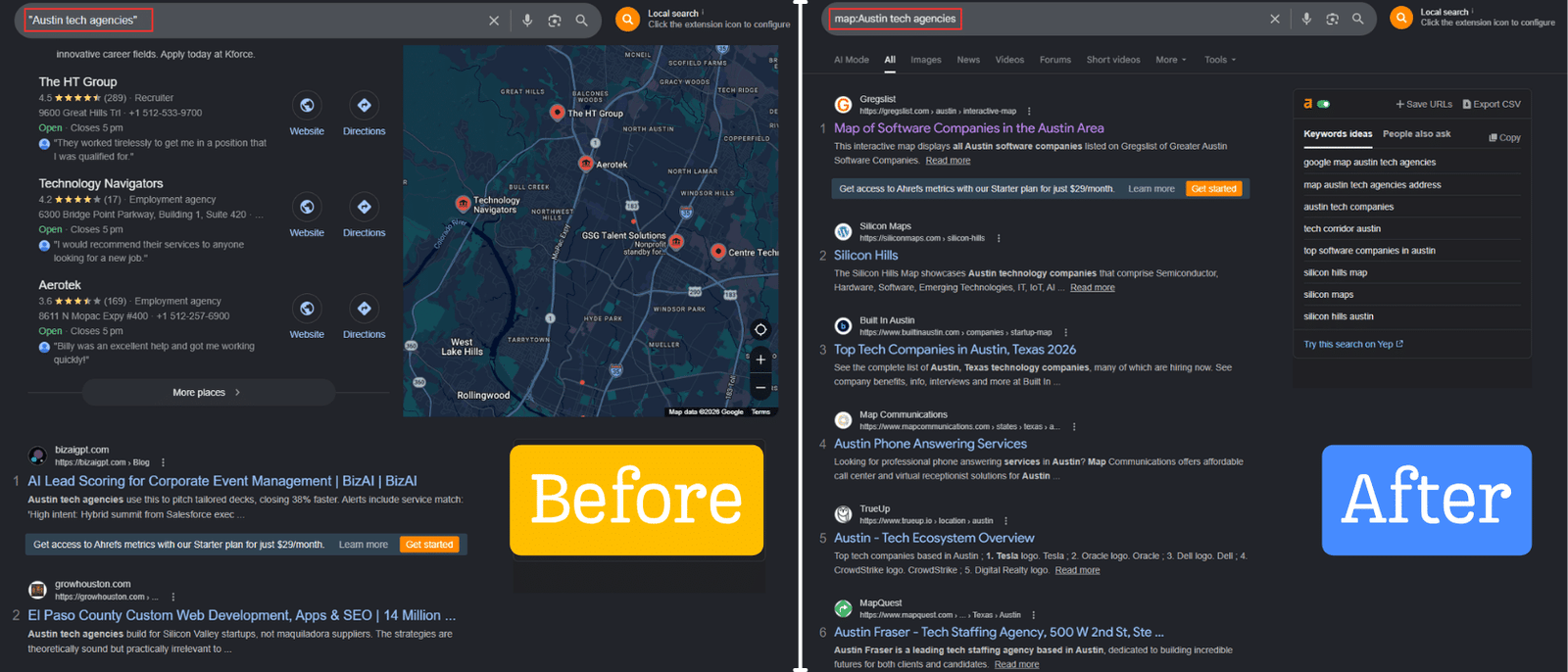
Why it’s powerful: For cold outreach and link-building campaigns, using the map: Operator instantly gives you a visual directory of actual company websites, physical addresses, and reviews, filtering out the “Top 10” listicles that usually clog up the search results.
Deprecated & Unreliable Operators: Why You Should Stop Using loc:, location:, and phonebook:
The SEO (Search Engine Optimization) landscape changes rapidly, and many older tutorials online teach outdated tactics. If you want accurate data in 2026, you need to know which Google commands have been retired.
Here are the operators you should stop using:
loc:andlocation:For years, SEOs usedloc:citynameto find local results. However, Google has officially deprecated these modifiers. They are now highly unreliable and often return standard web results or ignore the location parameter entirely. Always use themap:operator instead.phonebook:In the past, typingphonebook:nameIt was a quick hack to find someone’s residential or business phone number. Due to major privacy updates and data protection laws over the last few years, Google has completely killed this operator. It no longer functions.near:While near me still works naturally, treatingnear:it as a strict mathematical operator (e.g.,coffee near:10001) has become inconsistent. Google’s AI now relies more on your actual GPS IP data or explicit location names rather than the old near: syntax.
Advanced Maps Searching for B2B, Link Building & Cold Outreach
For link builders and cold marketing specialists, standard web results are often too noisy. If you are building a list of high-DR tech sites for a freelance service or seeking pure-niche guest post opportunities, the map: operator is your ultimate tool. It allows you to bypass directory sites and find the physical headquarters of SaaS companies, startups, and tech firms before they are overrun by competitors.
Targeting Pure Tech Niches: Instead of searching for generic “tech blogs” you can target actual software companies that have active websites but aren’t explicitly selling links.
- Find Local SaaS Companies:
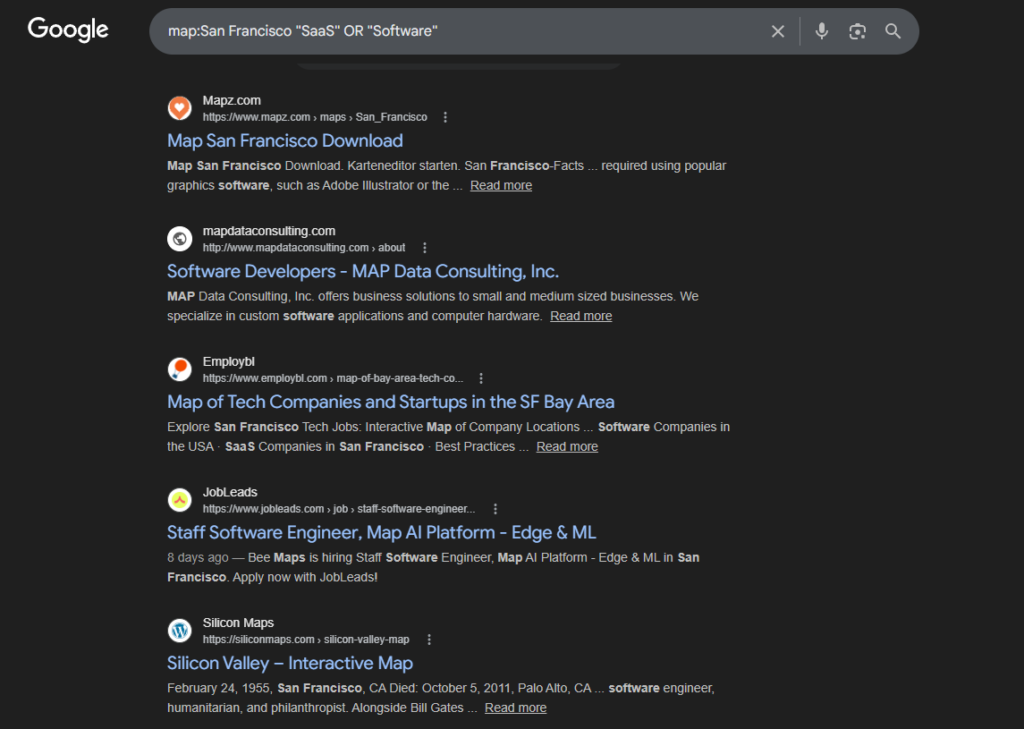
map:San Francisco "SaaS" OR "Software"
- Exclude Massive Corporations:
map:Austin "tech startup" -Microsoft -Apple -Oracle(This removes giant companies, leaving you with accessible DR 30 to DR 90 targets that are perfect for outreach).
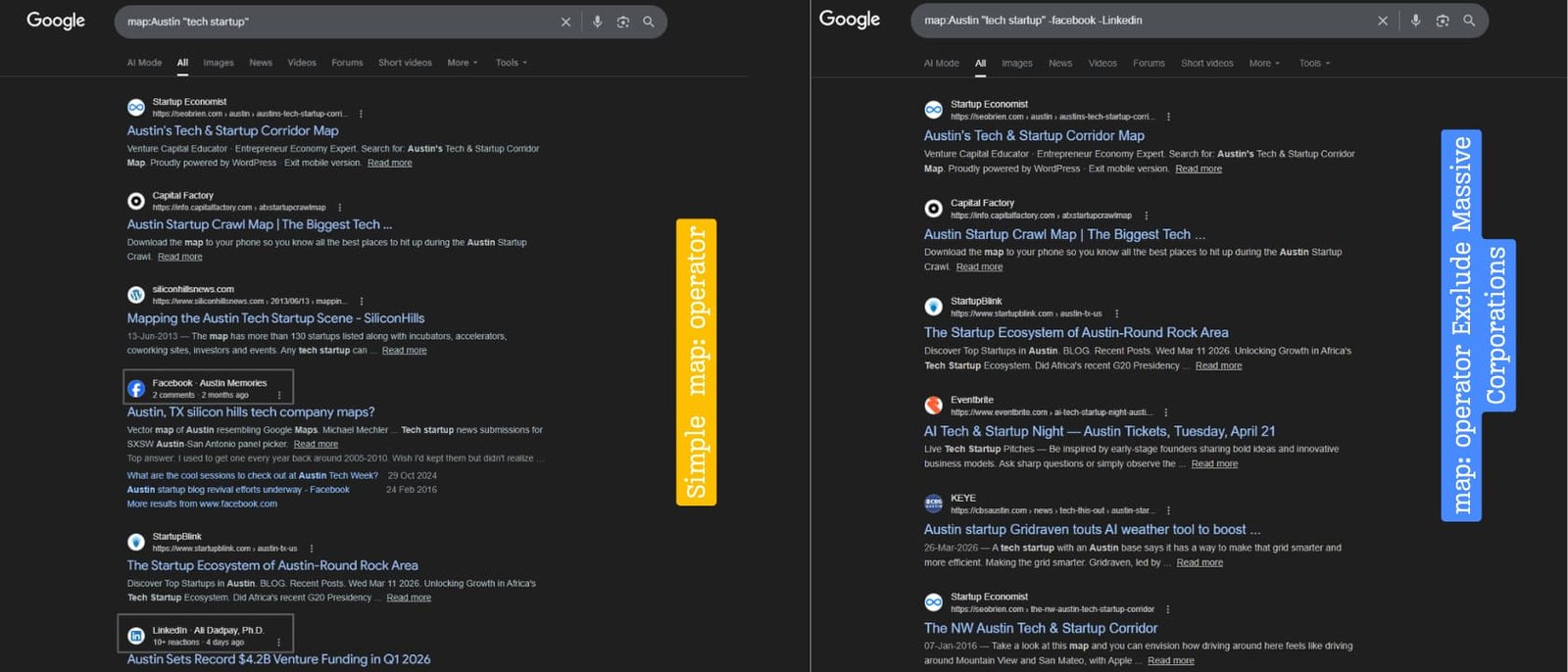
This method generates a highly targeted list of pure-niche businesses. You can then reach out to these companies for SaaS cold marketing, B2B lead generation, or proposing high-value link insertions.
Analyzing Local Competitor SEO Strategies with Map Queries
Beyond lead generation, map operators are invaluable for comprehensive SEO audits. By forcing the map view, you can visually analyze the market saturation of a specific niche in any city.
If you want to see how tightly clustered competitors are, simply search: map:Chicago "digital marketing agency".
This reveals the exact physical distribution of your competitors. You can then cross-reference the local agencies’ domains in tools like Ahrefs to analyze their backlink profiles and topical clusters. This helps you understand exactly what level of authority is required to rank in that specific geographical cluster.
Integrating Maps Search with Web Operators for Maximum Results
To unlock the true potential of the map: command, you must stack it with traditional search operators (which you can master in our complete Google Search Operators Guide (2026)). This creates ultra-specific filters that save hours of manual data mining.
- The Exact Match Combo:
map:London "cybersecurity firm"(Ensures the business profile explicitly mentions the exact phrase “cybersecurity firm”). - The OR Modifier:
map:Denver "app developer" OR "software engineer"(Broadens your B2B prospect list while keeping it strictly relevant to developers). - The Negative Match (Minus):
map:Seattle "IT services" -consulting(Removes consulting firms from your results, ensuring you only see dedicated IT service providers).
How to Filter Results by Categories, Prices, and Ratings
When conducting local market research or seeking specific vendors for a client, you might want to narrow your map results by budget or quality. You can combine the map: operator with specific category keywords or Google’s native price symbols.
- Filtering by Category:
map:Toronto "B2B marketing" OR "digital agency"(Forces Google Maps to only show businesses explicitly categorized as such). - Filtering by Price Range: While Google Maps has built-in UI filters for price, you can sometimes trigger price-specific map packs by using the $ symbol in your query. For example:
map:Miami corporate event venues $$$(Targets high-end, premium locations). - Number Range Operator (..): Use the .. operator to specify a range. For example, if you are looking for local tech events or conferences within a certain year range, you might search:
map:Berlin "tech conference" 2025..2026.